

Recent Winners
- Jacinto M.·$8,644.39·9/27/2026
- Eva G.·$5,002.53·9/27/2026
- Arnoldo L.·$2,111.11·9/27/2026
- Nicolette S.·$118.10·9/26/2026
- Boyd R.·$4,651.95·9/26/2026
- Paul M.·$7,061.09·9/26/2026
- Dillan H.·$9,420.31·9/26/2026
- Dan S.·$5,049.32·9/26/2026
- Lavonne H.·$4,904.88·9/26/2026
- Jenifer Z.·$165.61·9/26/2026
- Tamia K.·$2,289.75·9/25/2026
- Haylee W.·$7,039.38·9/25/2026
- Elaina K.·$8,639.75·9/25/2026
- Hosea L.·$1,360.66·9/25/2026
- Titus S.·$8,783.51·9/25/2026
- Maymie R.·$3,772.18·9/25/2026
- Velda H.·$9,385.93·9/25/2026
- Steve K.·$8,416.70·9/24/2026
- Jacinto M.·$8,644.39·9/27/2026
- Eva G.·$5,002.53·9/27/2026
- Arnoldo L.·$2,111.11·9/27/2026
- Nicolette S.·$118.10·9/26/2026
- Boyd R.·$4,651.95·9/26/2026
- Paul M.·$7,061.09·9/26/2026
- Dillan H.·$9,420.31·9/26/2026
- Dan S.·$5,049.32·9/26/2026
- Lavonne H.·$4,904.88·9/26/2026
- Jenifer Z.·$165.61·9/26/2026
- Tamia K.·$2,289.75·9/25/2026
- Haylee W.·$7,039.38·9/25/2026
- Elaina K.·$8,639.75·9/25/2026
- Hosea L.·$1,360.66·9/25/2026
- Titus S.·$8,783.51·9/25/2026
- Maymie R.·$3,772.18·9/25/2026
- Velda H.·$9,385.93·9/25/2026
- Steve K.·$8,416.70·9/24/2026
- Jacinto M.·$8,644.39·9/27/2026
- Eva G.·$5,002.53·9/27/2026
- Arnoldo L.·$2,111.11·9/27/2026
- Nicolette S.·$118.10·9/26/2026
- Boyd R.·$4,651.95·9/26/2026
- Paul M.·$7,061.09·9/26/2026
- Dillan H.·$9,420.31·9/26/2026
- Dan S.·$5,049.32·9/26/2026
- Lavonne H.·$4,904.88·9/26/2026
- Jenifer Z.·$165.61·9/26/2026
- Tamia K.·$2,289.75·9/25/2026
- Haylee W.·$7,039.38·9/25/2026
- Elaina K.·$8,639.75·9/25/2026
- Hosea L.·$1,360.66·9/25/2026
- Titus S.·$8,783.51·9/25/2026
- Maymie R.·$3,772.18·9/25/2026
- Velda H.·$9,385.93·9/25/2026
- Steve K.·$8,416.70·9/24/2026
- Jacinto M.·$8,644.39·9/27/2026
- Eva G.·$5,002.53·9/27/2026
- Arnoldo L.·$2,111.11·9/27/2026
- Nicolette S.·$118.10·9/26/2026
- Boyd R.·$4,651.95·9/26/2026
- Paul M.·$7,061.09·9/26/2026
- Dillan H.·$9,420.31·9/26/2026
- Dan S.·$5,049.32·9/26/2026
- Lavonne H.·$4,904.88·9/26/2026
- Jenifer Z.·$165.61·9/26/2026
- Tamia K.·$2,289.75·9/25/2026
- Haylee W.·$7,039.38·9/25/2026
- Elaina K.·$8,639.75·9/25/2026
- Hosea L.·$1,360.66·9/25/2026
- Titus S.·$8,783.51·9/25/2026
- Maymie R.·$3,772.18·9/25/2026
- Velda H.·$9,385.93·9/25/2026
- Steve K.·$8,416.70·9/24/2026
Sign In
Signing in to ACE.com Casino gives you full access to Gold Coin games, promotions, and account features. The process is browser-based on desktop and mobile, and no separate app is required. You’ll use your email and password to access your account in seconds, and customer support is available by live chat, email at support@ace.com, or phone at +1 (424) 414-2416 if you run into trouble.
- Open ACE.com and Tap Sign InOpen ACE.com and tap “Sign In.”
- Enter Credentials and Complete PromptsEnter the email address and password you used when registering, then complete any two-factor prompts if enabled.
- New User RegistrationNew users will need to create an account first; expect a short registration form and an email verification link.
If you prefer a guided overview of the site before signing in, check our ACE.com Casino review for a quick tour.
Forgot password? Fast account recovery tips
If you forget your password, choose “Forgot Password” on the sign-in screen and follow the emailed reset link. For account verification, have your ID and proof of address ready if requested—this speeds up identity checks and withdrawal processing. If email support is slow, use live chat for real-time help from the support team.
Mobile sign in and device options
ACE.com supports sign in through mobile browsers with the same features as desktop, including access to the free Rewards Wheel and Gold Coin play. There’s no app to download, which keeps storage free and updates instant. For safety on public Wi-Fi, use a secured network or your phone’s hotspot, and avoid saving passwords on shared devices.
Promotions and bonuses tied to signing in
Many ACE.com promos and daily features require an account sign in to claim. Current offers verified August 6, 2025 include a No-Purchase Promo that awards 7,500 Gold Coins plus a Free Rewards Wheel spin, and a Welcome offer that gives a 150% boost to your first Gold Coin purchase. Gold Coins carry 0x wagering and are for play only; Sweeps Coins require 1x playthrough before redemption. Bonusing rules and state eligibility change, so always sign in and check the promotions page before claiming—bonuses are typically applied automatically with no code required.
Be aware of state restrictions: the No-Purchase Promo and purchase-related offers are not available in several U.S. states, including Alabama, Connecticut, New Jersey, New York, Pennsylvania, and others. If a promotion looks missing from your account, check eligibility or contact support.
Security, payments, and software access after sign in
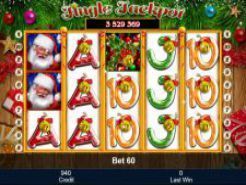
Once signed in you can add payment methods like MasterCard or Visa and manage currency settings in USD. ACE.com works with dozens of software providers, from long-established studios such as Betsoft (since 1999) and Playtech (since 2000) to modern developers like Evoplay and Relax Gaming, giving you a broad game library. A popular title you can try after signing in is Jingle Jackpot Slots by Novomatic—read its review for details and features.
Signing in is the gateway to bonuses, VIP perks, and full account control. Keep your credentials secure, verify account settings after your first sign in, and contact support if anything looks off—ACE.com’s team is available around the clock to help.